
Product 3D Shadow
Generate Photorealistic 3D Product Shadows in Seconds
Cast authentic directional drop shadows and soft ground contact occlusion, anchoring cutouts naturally to the surface. Adds realistic 3D studio depth for e-commerce and catalog showcases.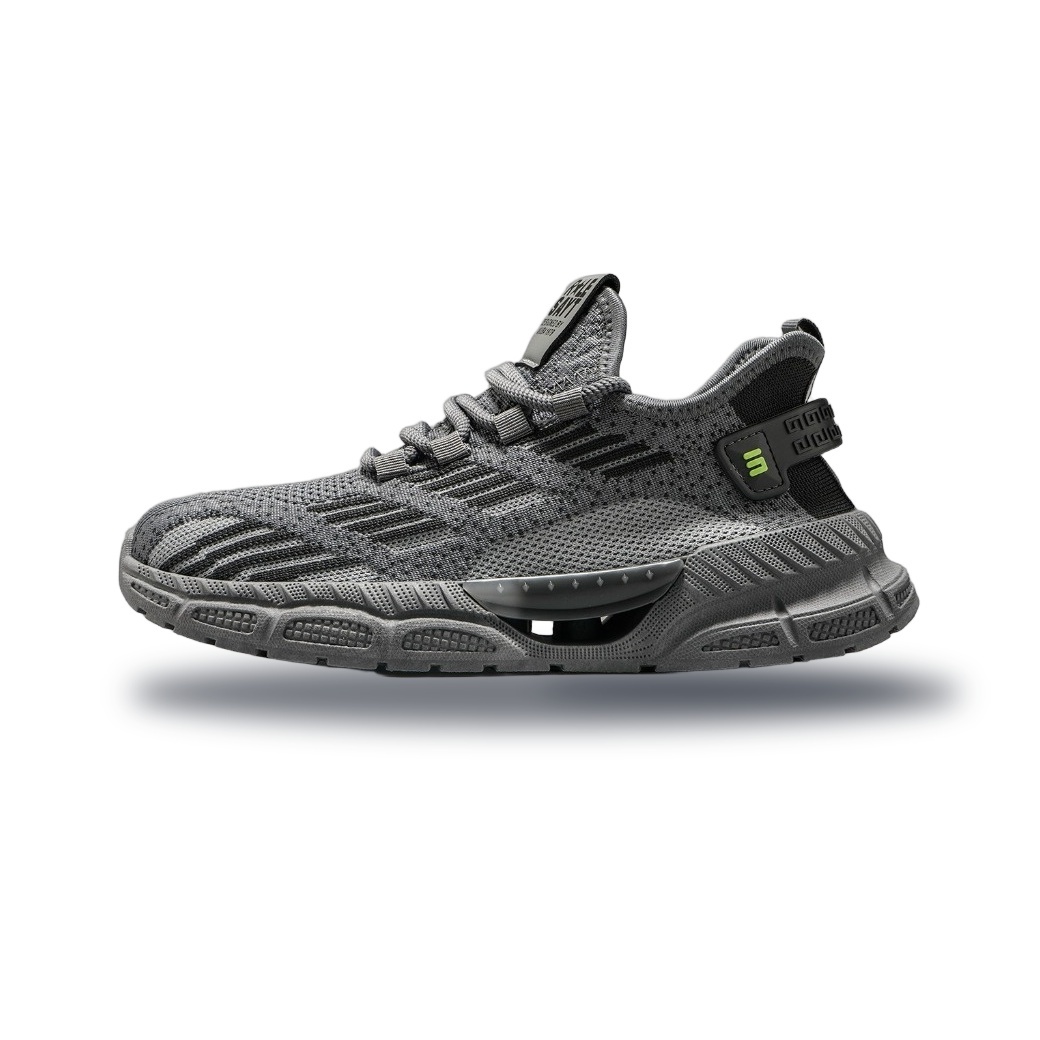 3D Shadow
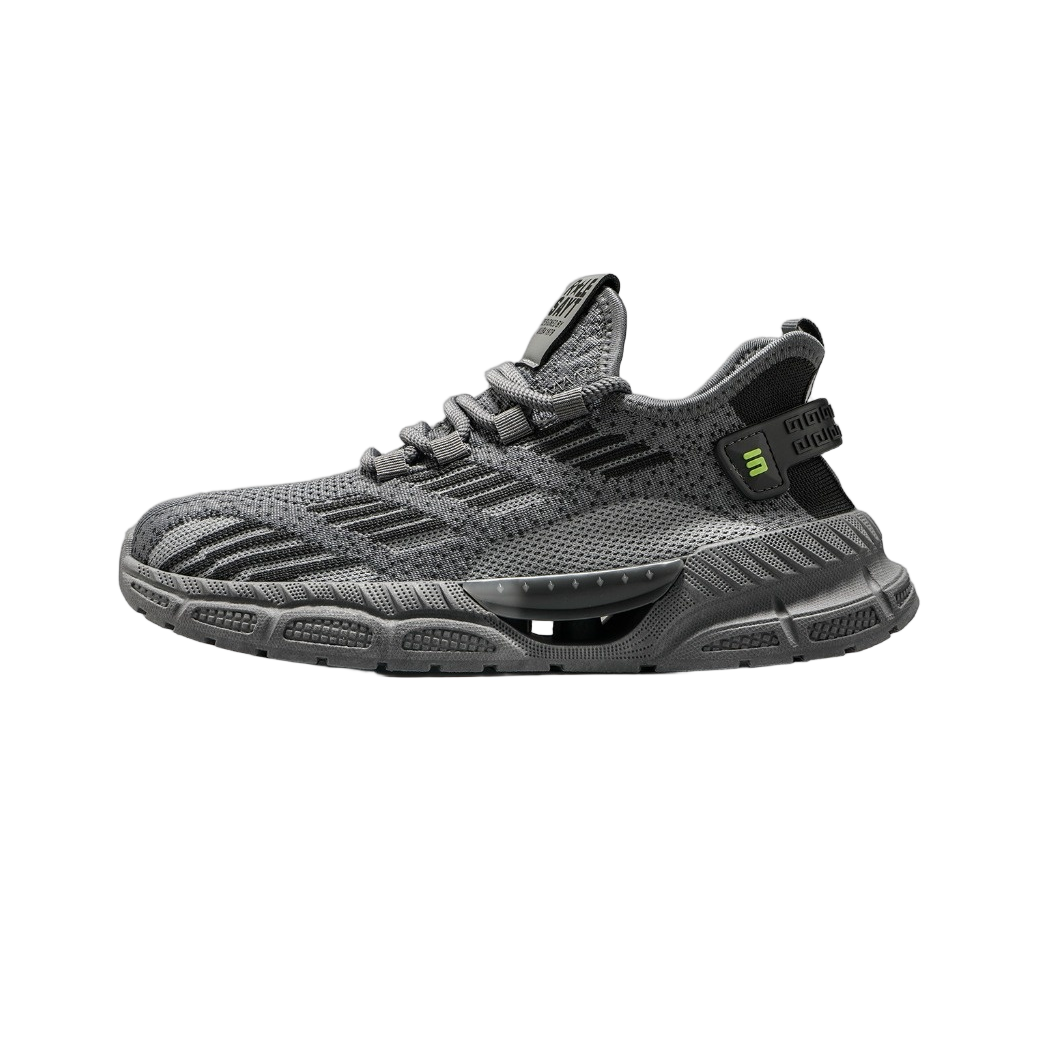 Raw Cutout
How to Add a Shadow to Your Image
Get professional results in three simple steps.
Upload Cutout
Drag and drop your transparent PNG product image into the upload area. Ensure the background is fully removed.
Adjust Shadow Settings
Use the sliders to set the light angle, shadow distance, blur, and opacity. Preview the changes in real-time.
Download Result
Click Export to save your shadowed product image as a high-quality PNG, ready for your website or marketplace listing.
Boost Conversion Rates with Professional Product Photography
Create studio-quality lighting for your top-selling products without expensive equipment or Photoshop skills.
Amazon & Marketplace Listings
Meet strict A+ Content guidelines by adding natural contact shadows that ground your products on white backgrounds, increasing trust and click-through rates.
Shopify & WooCommerce Stores
Transform flat cutouts into premium 3D visuals. Consistent shadow angles across all product pages create a cohesive, high-end brand aesthetic.
Social Media Ads (Instagram/TikTok)
Stop floating products from looking cheap. Add subtle drop shadows to ad creatives to improve visual hierarchy and stop the scroll.
Catalogue & Print Design
Prepare print-ready assets with precise opacity falloff and blur radius settings, ensuring your digital designs translate perfectly to physical brochures.
Fashion & Footwear Showcases
Simulate realistic floor reflections and soft shadows for shoes and apparel, giving customers a better sense of depth and texture before they buy.
Tech & Electronics Reviews
Give gadgets a sleek, modern look by adding crisp, directional drop shadows that highlight the form factor and premium build quality.
Professional Shadow Control Features
Full manual control over shadow physics for pixel-perfect results every time.
100% In-Browser Privacy
Your product images never leave your device. All processing happens locally via WebAssembly, ensuring complete data security and IP protection.
Instant Batch Processing
Upload multiple cutouts at once. Apply consistent shadow presets across your entire catalog in seconds, not hours.
Advanced Light Angle Control
Adjust light source direction, shadow distance, opacity, and blur radius to match your specific studio lighting setup or brand style.
Transparent PNG Output
Export your shadowed product as a high-res PNG with transparency, ready to overlay onto any background color or lifestyle scene.
Add realistic 3D shadows to your product photos instantly. Perfect for Amazon, Shopify, and Etsy sellers. No Photoshop required.
Common Questions About Product Shadows
Everything you need to know about creating realistic lighting for e-commerce.
Do I need to remove the background first?
Yes. This tool is designed to add shadows to already cut-out images (transparent PNGs). If your image has a white or colored background, use our Background Remover tool first.
Can I adjust the shadow intensity and blur?
Absolutely. You have full control over shadow opacity, blur radius, and distance from the object. This allows you to simulate everything from harsh outdoor sunlight to soft studio lighting.
Is this tool free to use?
You can generate and preview shadows for free. For high-resolution downloads without watermarks and batch processing features, please check our pricing page.
Does this work for non-product items like people?
While primarily optimized for hard-surface products, you can apply drop shadows to cut-out people. However, contact shadows (grounding) may look unnatural on figures due to complex anatomy.
Explore More Free Creative Image Tools
Complete ecosystem of passport photo makers, AI erasers, upscalers, and format converters.
Background Remover →
Instant 1-click AI background removal with hair-level edge detail & transparent PNG.
Image Text Editor →
Erase existing text with LaMa and render parametric new typography seamlessly.
Change Background Color →
Replace photo background with pure white, official blue, red or custom colors.
Blur & Redact ID Card →
Blackout or pixelate sensitive numbers, addresses and private text on ID cards.
Transparent Signature Maker →
Extract handwritten paper signatures into crisp, transparent PNG e-signatures.
Image Compressor →
Lossless bulk compression to target file size (20KB, 50KB, 100KB) with zero quality loss.