
Product 3D Shadow
Add Photorealistic 3D Shadows to Your Products Instantly
Cast authentic directional drop shadows and soft ground contact occlusion, anchoring cutouts naturally to the surface. Adds realistic 3D studio depth for e-commerce and catalog showcases.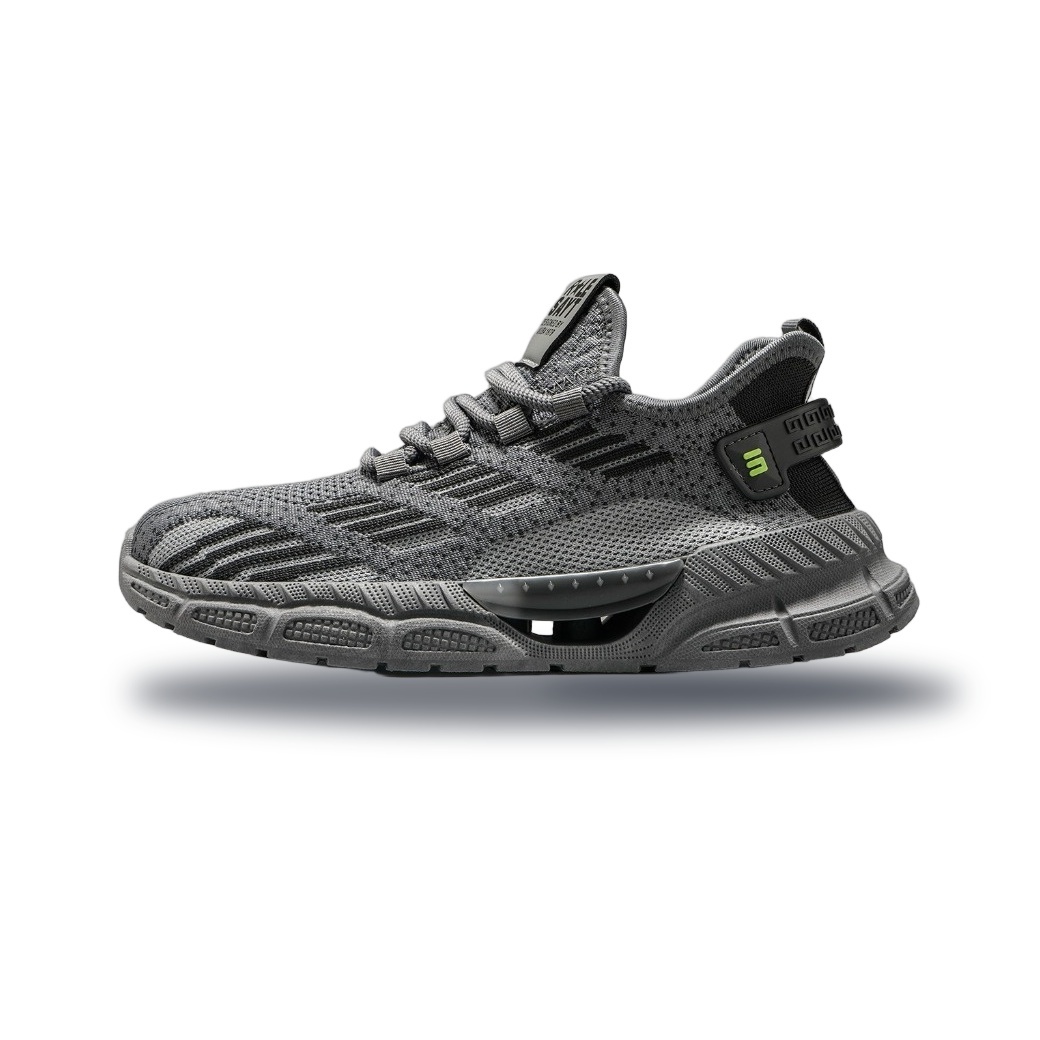 3D Shadow
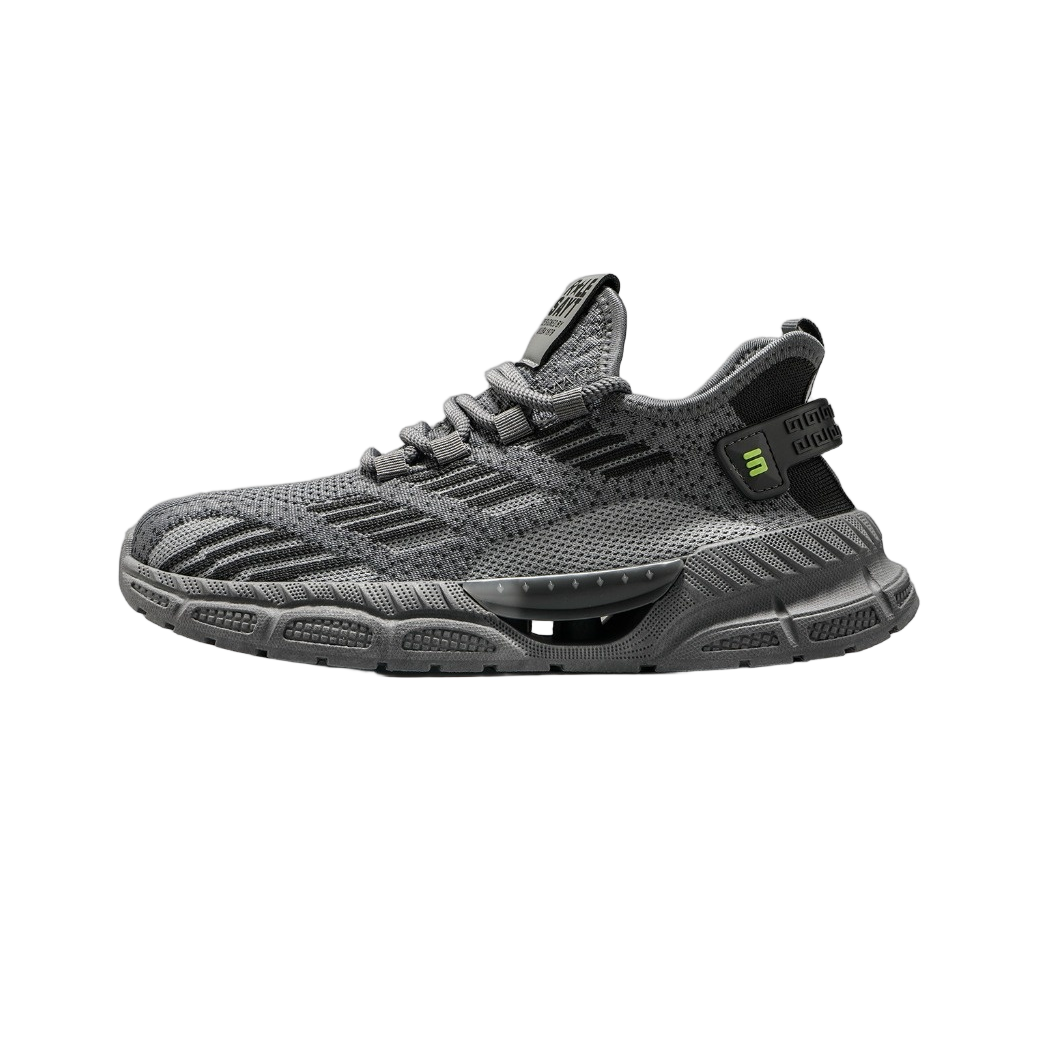 Raw Cutout
How to Add a Realistic Shadow in 3 Steps
Get studio-quality results without Photoshop.
Upload Cutout
Drag and drop your transparent PNG product image into the workspace. Ensure the subject is cleanly cut out from its original background.
Adjust Parameters
Use the sliders to set the shadow angle, blur, and opacity. Preview the live result to match the lighting direction of your target background.
Download Result
Click Generate to apply the shadow. Download your new image as a high-quality PNG with transparency or a JPG with a solid background.
Powering Professional Visuals Across Industries
Ground your products in reality with studio-quality lighting effects.
E-Commerce Catalogs
Transform flat product shots into premium listings on Amazon, Shopify, and Etsy. Add grounded contact shadows that make items look tangible and increase conversion rates.
Social Media Ads
Stop the scroll on Instagram and TikTok. Create floating or grounded product visuals with precise drop shadows that match your brand's aesthetic and lighting direction.
Digital Mockups
Enhance app icons, UI elements, and digital assets. Apply subtle 3D depth and soft shadows to make interface components pop against white or dark backgrounds.
Packaging Design
Visualize how your packaging looks on a shelf. Generate realistic floor shadows to test placement and spacing before committing to physical print runs.
Real Estate & Interior
Place furniture or decor items into room renders. Use contact shadows to ensure virtual objects sit naturally on floors and surfaces without looking pasted.
Travel & Hospitality
Create compelling promotional graphics for hotels or tours. Add atmospheric shadows to lifestyle images to enhance depth and draw attention to key offers.
Studio-Quality Control in Your Browser
Full manual control over shadow physics without complex software.
100% Private & Secure
All processing happens locally in your browser. Your product images never leave your device, ensuring complete privacy for sensitive designs.
Lightning Fast Rendering
Generate high-resolution shadows instantly. No server uploads, no waiting queues—just immediate results optimized for web speed.
Precise Angle & Blur Control
Adjust light source angle, shadow opacity, blur radius, and distance to perfectly match your existing photo lighting conditions.
Transparent PNG Output
Export your shadowed product as a clean PNG with transparency, ready to overlay on any background color or texture.
Generate realistic 3D product shadows for e-commerce listings, social media ads, and digital mockups. Add contact shadows and drop shadows to transparent PNGs instantly with Dopic.
Frequently Asked Questions
Everything you need to know about adding realistic shadows.
Does this tool work on photos with existing backgrounds?
No. This tool is designed specifically for transparent PNGs or cutout subjects. If your image has a background, please use our Background Remover first to isolate the object.
Can I customize the shadow direction and intensity?
Yes. You have full control over the light source angle (0-360 degrees), shadow blur radius, opacity, and distance from the object to create realistic lighting scenarios.
Is there a watermark on the generated images?
Absolutely not. Dopic provides clean, professional outputs with zero watermarks, perfect for commercial use in e-commerce and marketing.
Will the shadow quality degrade my image resolution?
No. We preserve the original DPI and resolution of your uploaded image. The shadow is rendered at native quality to ensure crisp edges and professional results.
Explore More Free Creative Image Tools
Complete ecosystem of passport photo makers, AI erasers, upscalers, and format converters.
Background Remover →
Instant 1-click AI background removal with hair-level edge detail & transparent PNG.
Image Text Editor →
Erase existing text with LaMa and render parametric new typography seamlessly.
Change Background Color →
Replace photo background with pure white, official blue, red or custom colors.
Blur & Redact ID Card →
Blackout or pixelate sensitive numbers, addresses and private text on ID cards.
Transparent Signature Maker →
Extract handwritten paper signatures into crisp, transparent PNG e-signatures.
Image Compressor →
Lossless bulk compression to target file size (20KB, 50KB, 100KB) with zero quality loss.